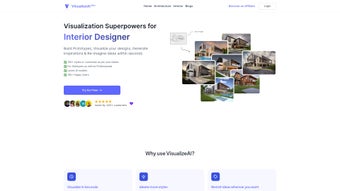

Download VisualizeAI – AI‑Powered Design Tool for Fast Prototyping
Overview
VisualizeAI is a cutting‑edge, web‑based design platform that puts artificial intelligence at the heart of every creative step. Developed by the forward‑thinking team behind the VisualizeAI brand, the application combines a clean, browser‑first interface with sophisticated AI engines capable of generating design concepts, offering contextual improvements, and instantly rendering high‑fidelity prototypes. Whether you belong to a large design department, work as an independent freelancer, or manage product development for a startup, VisualizeAI serves as a single hub where ideas transform into clickable mock‑ups within minutes rather than days.
Its core advantage lies in the balance between speed and depth: the AI does not merely sketch rough wireframes, it also suggests color palettes, typography choices, layout variations, and even copy that matches your brand’s tone of voice. This level of intelligence dramatically shortens the iteration cycle, reduces the number of review rounds, and helps teams arrive at approved designs faster. An additional strength is the built‑in inspiration engine, which surfaces fresh concepts based on trending design patterns, user demographics, and industry‑specific cues, acting as a catalyst for creative thinking.
By embedding AI directly into the design workflow, VisualizeAI helps users break through creative blocks, explore alternative solutions, and pivot swiftly when project requirements shift. In short, it is a robust, secure, and continuously updated solution that redefines how designers prototype, iterate, and collaborate across any platform, making it an indispensable tool for modern design teams seeking efficiency without sacrificing quality.
Key Features of VisualizeAI
- AI‑Generated Prototypes: Turn simple text prompts into wireframes or high‑fidelity mock‑ups in seconds, cutting manual drafting time dramatically.
- Design Inspiration Engine: Curated idea feeds that adapt to industry trends, target audiences, and your unique visual style.
- Real‑Time Collaboration: Multi‑user editing, threaded comments, version history, and granular permission controls keep teams in sync.
- Smart Component Library: Auto‑suggested UI components that automatically align with your design system and brand guidelines.
- Responsive Preview: One‑click switch between desktop, tablet, and mobile breakpoints to ensure designs look perfect everywhere.
- Content Assistant: AI‑driven copy suggestions, placeholder text, and image recommendations tailored to each screen’s context.
- Export Options: Download assets as PNG, SVG, PDF, or push projects directly to Figma, Adobe XD, Sketch, and other popular tools.
- Secure Cloud Storage: End‑to‑end AES‑256 encryption, automatic backups, and GDPR/CCPA compliance protect all project data.
- Continuous Updates: Monthly AI model enhancements and UI improvements are delivered without downtime, keeping the tool fresh.
- Cross‑Platform Access: Works in any modern browser and can be installed as a progressive web app on Windows, macOS, Android, and iOS.
Installation & Usage Guide
Getting started with VisualizeAI is intentionally frictionless. Because it is a fully cloud‑native web app, there is no traditional download or installation process—simply visit visualizeai.com, click “Sign Up,” and you’re ready to explore. Registration requires only a valid email address and a strong password; optional two‑factor authentication adds an extra layer of security for teams handling sensitive data.
Step‑by‑Step Workflow
- Create a New Project: Hit the “New Project” button, give your project a descriptive name, and choose a starter template such as mobile app, website, or SaaS dashboard.
- Prompt the AI: In the “Idea Generator” pane, type a brief description of the screen you need—e.g., “User login page with social sign‑in and dark‑mode option.” VisualizeAI instantly produces several layout variations.
- Refine & Customize: Select a preferred layout, then use drag‑and‑drop to reposition components, edit colors, and replace placeholder text with AI‑suggested copy.
- Collaborate in Real Time: Invite teammates via email. They can comment directly on the canvas, suggest edits, or make changes simultaneously, with all actions recorded in the version history.
- Export or Sync: When the design meets your standards, export assets or push the file to your preferred design tool using the “Export” menu. The integration works seamlessly with Figma, Adobe XD, Sketch, and even directly into Git repositories for developer hand‑off.
The platform also includes a built‑in tutorial mode that guides new users through each feature with interactive pop‑ups, ensuring a smooth onboarding experience. Because VisualizeAI runs entirely in the browser, updates are applied instantly—there’s no need to download patches or restart the application. Power users can access a comprehensive keyboard shortcut guide, enabling rapid toggling between tools, zoom levels, and AI prompt windows, which further accelerates the design process.
Compatibility, Pros & Cons, and Frequently Asked Questions
Compatibility & System Requirements
VisualizeAI is a cloud‑native solution optimized for modern browsers, meaning it runs on virtually any operating system capable of launching Chrome, Edge, Firefox, or Safari. The recommended specifications are modest, ensuring a smooth experience even on lower‑end hardware:
- Processor: Dual‑core 2 GHz or higher
- RAM: 4 GB minimum (8 GB recommended for large, media‑rich projects)
- Internet: Stable broadband connection (minimum 5 Mbps download speed)
- Browser: Latest version of Chrome, Edge, Firefox, or Safari with JavaScript enabled
VisualizeAI also supports progressive web‑app (PWA) functionality, allowing you to “install” it on Windows, macOS, Android, and iOS devices for an app‑like experience. While the PWA caches recent projects for offline viewing, full AI‑driven generation still requires an active internet connection. The platform adheres to WCAG 2.1 AA accessibility standards and offers localization for English, Spanish, French, German, and Mandarin.
Pros
- Lightning‑fast AI prototype generation saves hours of manual design work.
- Extensive inspiration library keeps creative ideas flowing.
- Real‑time collaboration eliminates version‑control headaches.
- Secure cloud storage with GDPR, CCPA, and ISO‑27001 compliance protects sensitive projects.
- Cross‑platform accessibility via browser or PWA ensures you can work anywhere, on any device.
Cons
- Heavy reliance on internet connectivity; offline features are limited to viewing cached projects.
- Advanced customization may require a learning curve for non‑technical designers.
- Free tier imposes a limit on the number of AI‑generated iterations per month, which can be restrictive for larger teams.
Frequently Asked Questions
Is VisualizeAI truly free to use?
VisualizeAI offers a free tier that includes up to five AI‑generated prototypes per month and basic collaboration features. For unlimited usage, premium plans start at $15 per user per month.
Can I export designs to Figma or Adobe XD?
Yes. VisualizeAI provides direct export options to Figma, Adobe XD, Sketch, and also standard formats like PNG, SVG, and PDF.
How does the AI generate design suggestions?
The AI model is trained on millions of publicly available design assets and uses natural language processing to interpret user prompts. It then combines layout heuristics with brand guidelines to propose tailored designs.
Is my data safe when I store projects in the cloud?
All projects are encrypted both at rest and in transit using AES‑256 encryption. VisualizeAI complies with GDPR, CCPA, and ISO‑27001 standards.
Can VisualizeAI be used on mobile devices?
Yes. The responsive web app works on smartphones and tablets, and the PWA can be installed on Android and iOS for an app‑like experience.
After testing VisualizeAI on several client projects, I found the AI‑generated prototypes to be remarkably accurate and fast. The collaboration tools cut our revision cycles by half, and the inspiration engine sparked ideas we wouldn’t have considered otherwise. While the free tier’s iteration limit is restrictive for larger teams, the paid plans are reasonably priced for the value delivered. Overall, VisualizeAI stands out as a secure, constantly improving design assistant that bridges the gap between concept and high‑fidelity mock‑up.
Conclusion & Call to Action
VisualizeAI represents a significant leap forward for anyone who wants to turn ideas into polished designs without getting bogged down in repetitive tasks. Its AI core, combined with a robust set of collaboration, export, and inspiration features, makes it a compelling choice for design teams, product managers, and solo creators alike. Whether you’re looking to generate quick wireframes, explore fresh visual directions, or streamline hand‑offs to developers, VisualizeAI delivers a secure, cross‑platform solution that keeps your workflow moving at the speed of thought. Ready to experience AI‑driven design for yourself? Start your free trial today and see how VisualizeAI can transform the way you prototype, iterate, and innovate.



.png)



